History
Viewing the history of a document and tracing changes.
Every document has a History: a timeline of what has happened to it. It shows how the document arrived, how it was reviewed and decided on, what was changed, which messages were written about it and when it was archived. The history is available in every PDFMAILER.FLOW app, including the archive, and anyone who may see the document can read it.
Each action shows who carried it out. Steps that PDFMAILER.FLOW carried out itself, such as reading in an e-invoice, appear without a name. An archived document shows the same history as before, including everything that happened before it was archived.
View the history of a document
Look at the history when you want to know what has happened to a document and who was involved, for example who approved an invoice.
- Open the document.
- Click the History tab.
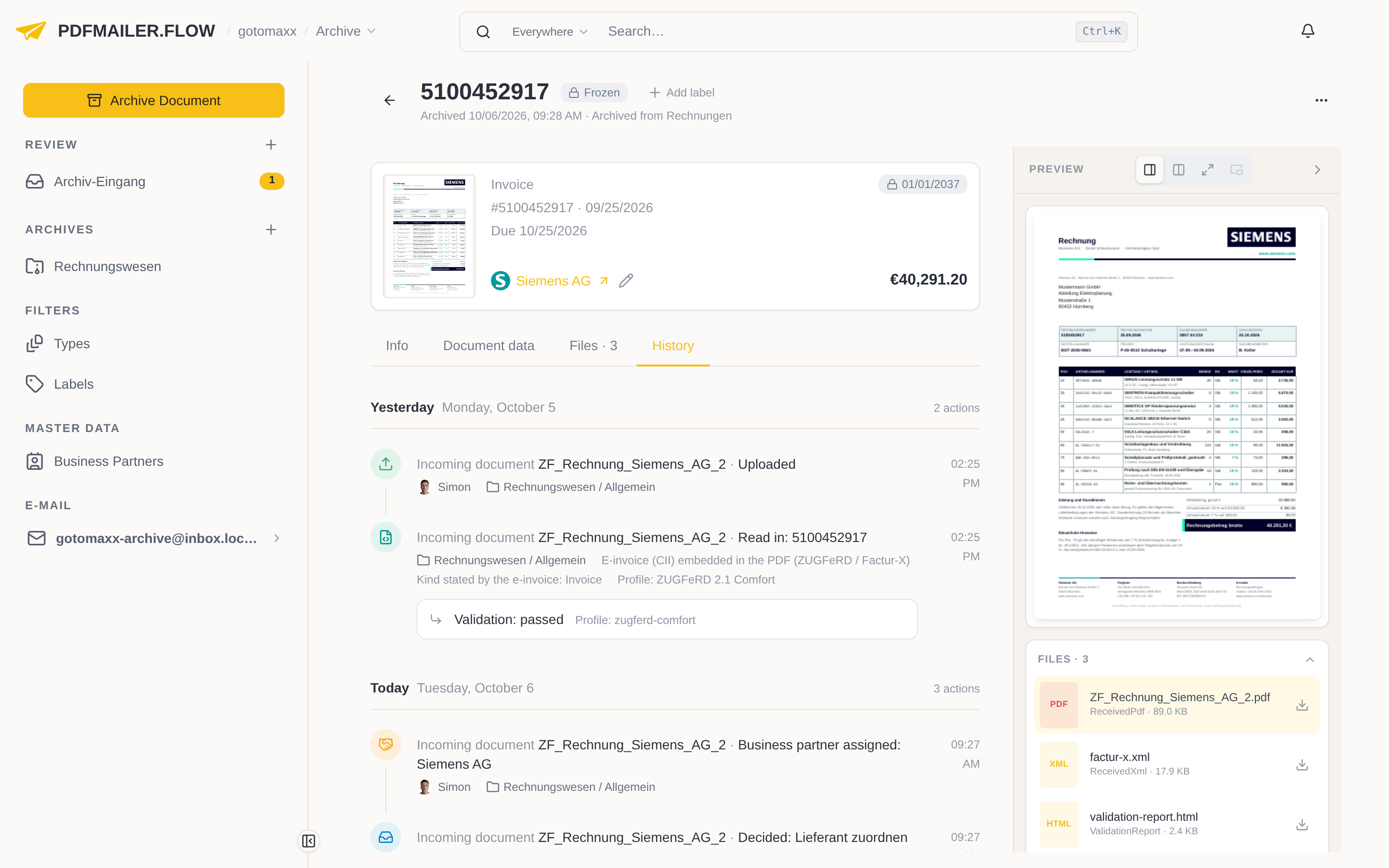
The history is grouped by day and reads from top to bottom, from the document's arrival to today. Each line shows the action, the time and the person who carried it out. Steps that belong together, such as the results of a review, are shown indented under the line they belong to. You show older entries with Show earlier at the start of the history.
While a document is still being processed, you write messages about it below the history; they also appear in the history and remain readable after the document has been archived.
The history also shows where a document came from: if an archived invoice was created from an incoming document, the review and the decisions on that document can be seen as well, and with a click on “Taken on from …” you open it. If details were changed, the history names the changed fields; under What changed you see the old and new values. Administrators additionally show the technical processing steps with Diagnostics.