Organization history
Tracing changes in the organization.
The organization history records who did what in your organization and when: documents that were received, decided on, changed, shared, archived or deleted, and changes to the setup, such as to groups, roles, labels, document types, email mailboxes and users. While the history of a document shows only that one document, the organization history shows everything in one place. You find it in Settings under History; this requires administrator rights.
For a change, the organization history records which fields were changed, but not the values themselves. Entries cannot be deleted or changed.
View the organization history
Look in the organization history when you want to know who set up or changed something, for example who assigned a role to a user or deleted a group.
- Open Settings from your user menu.
- In the sidebar, under Tenant, click History.
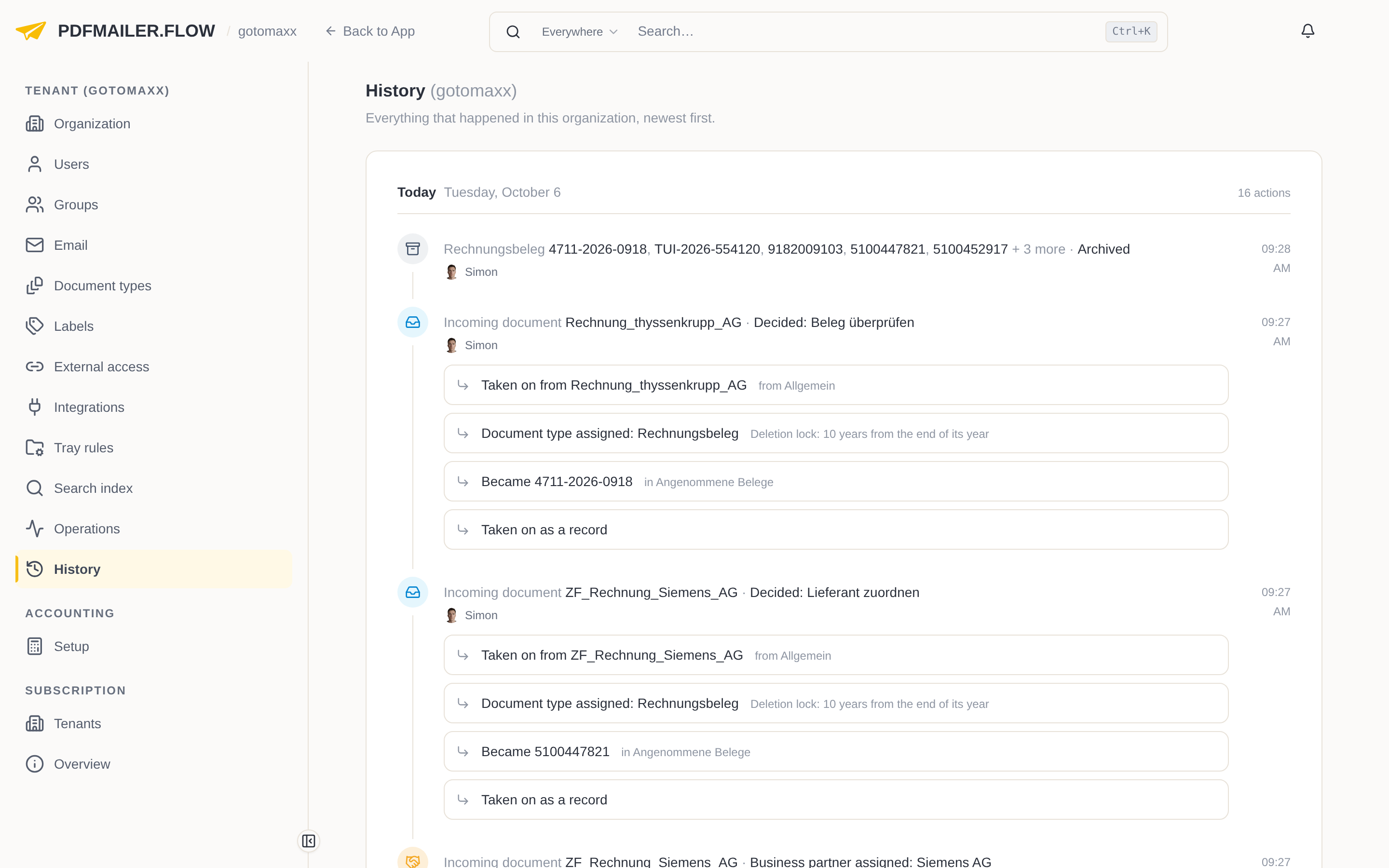
The organization history is grouped by day, newest first. Each line begins with the kind and the name of what is affected, such as “Group Invoice review” or “Billing document 5100452917”, and then shows the action, the time and the user who carried it out. Steps that belong together are shown indented below. As long as the affected item still exists, you open it with a click on its name. You show older entries with Show earlier at the end of the list.